Hardware

Modules

Build your own AeroTraceGPS system: one ground receiver and one LoRa GPS beacon per model. Everything talks LoRa 868 MHz to the receiver, which relays to the app over Bluetooth LE.

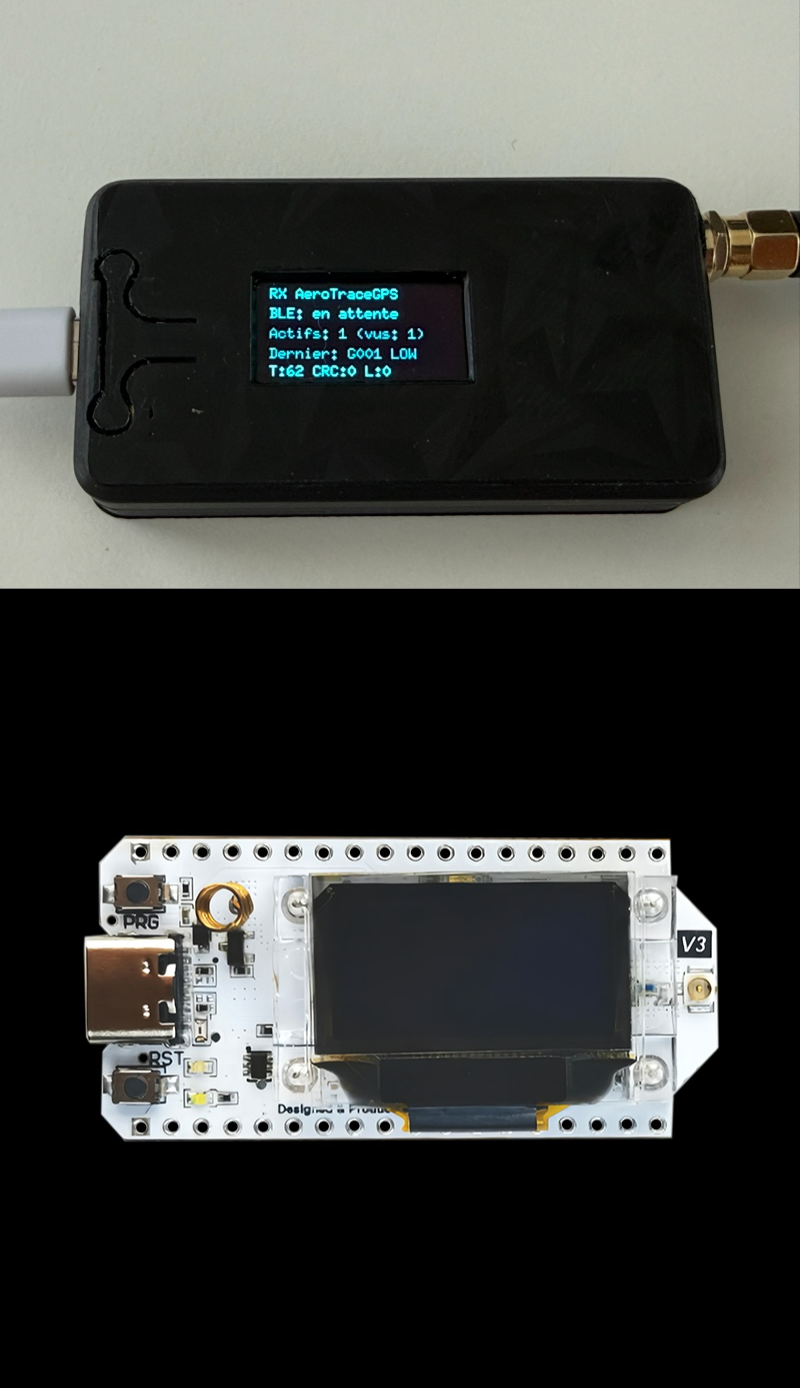
RX Heltec V3.2 LoRa
Ground receiver

RX Heltec V3.2 LoRa

The ground station. It receives the LoRa frames from every beacon and relays them to your iPhone over Bluetooth LE.

  • Heltec WiFi LoRa 32 V3.2 (SX1262), 868 MHz
  • Unique Bluetooth name (RX-XXXX): several receivers can run on the same field
  • Receives up to 10 beacons
  • Compatible with all TX modules below
3D-printable case files
TX Heltec V3.2 LoRa GPS
Transmitter beacon

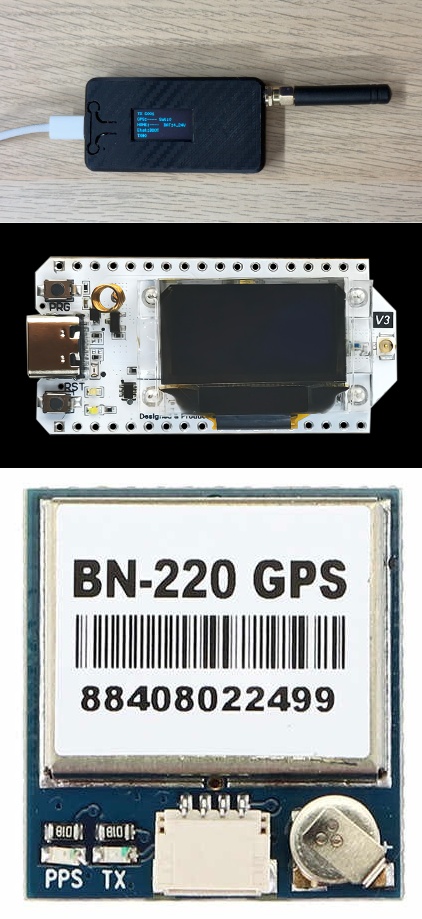
TX Heltec V3.2 LoRa GPS

All-in-one beacon for larger models: LoRa radio, GPS and OLED screen on a single board.

  • Heltec WiFi LoRa 32 V3.2 (SX1262) + BN-220 GPS
  • OLED screen for on-the-bench checks
  • Beacon ID and ID set from the app over Bluetooth
3D-printable case files
BN-220 GPS wiring
GPS → Heltec
GPSHeltec
VCC5V or Vin
GNDGND
RX19
TX20
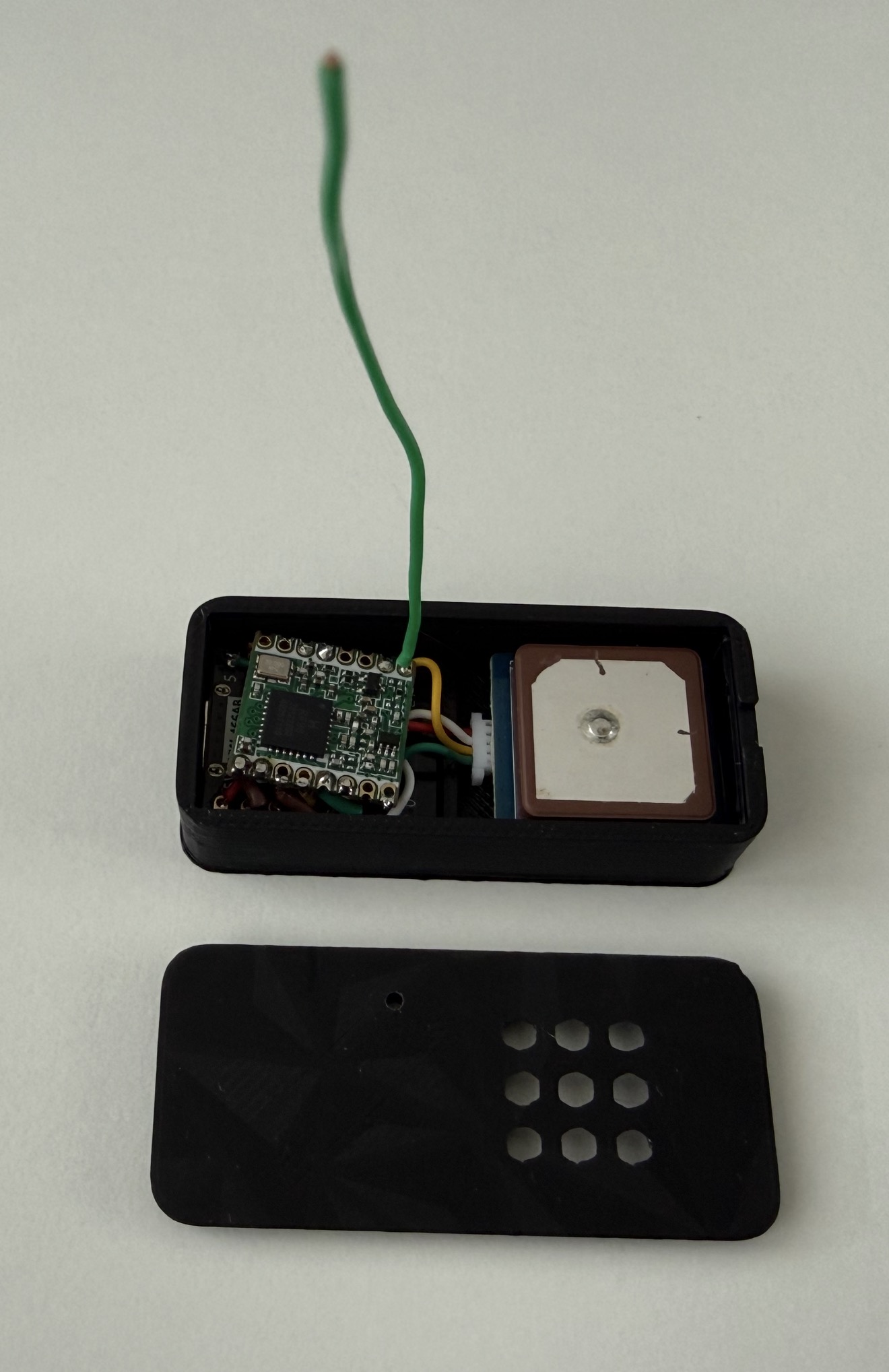
TX ESP32-C3 SuperMini LoRa GPS
Transmitter beacon

TX ESP32-C3 SuperMini LoRa GPS

The compact option for gliders and small models where every gram and every cubic centimetre counts.

  • ESP32-C3 SuperMini + RFM95W (SX1276) + BN-220 GPS
  • Same protocol as the Heltec beacons, fully compatible with the same receiver
  • Beacon ID and ID set from the app over Bluetooth
3D-printable case files
Firmware
Firmware

RX and TX

Ready-to-flash firmware for the ground station (RX) and the beacons (TX). Complete .bin files: nothing to install, everything is done from your browser.

  • RX: Heltec WiFi LoRa 32 V3.2 (SX1262), 868 MHz
  • TX: Heltec V3, Heltec V4 and ESP32-C3 SuperMini + LoRa module
  • The RX and all TX units share the same LoRa settings: they are compatible with each other
  • After flashing a TX, set the beacon ID from the app (60-second window after power-up)
Receiver firmware (RX)
Beacon firmware (TX)
Firmware
Firmware

Flash from your browser

  1. Use a computer with Google Chrome or Microsoft Edge (Safari, Firefox and smartphones do not support USB flashing).
  2. Connect the module to the computer with a data USB cable (not a charge-only cable).
  3. Download the .bin file that matches your module (see above).
  4. Open Espressif's official web flasher: espressif.github.io/esptool-js.
  5. Select a baud rate of 921600, click Connect and choose the module's serial port.
  6. If the module is not detected: hold the BOOT button (Heltec: PRG), briefly press RST, release BOOT, then try connecting again.
  7. Under "Flash Address", enter 0x0, select the .bin file, then click Program.
  8. Wait for "Leaving..." at 100%, then press RST: the module restarts with the new firmware.

Note: a full flash erase deletes the configuration stored on a beacon (SHORT_ID and ID); you will need to enter it again from the app.